Gmail Update 2026: Gemini Integration & What It Means for Email Marketing in 2026
Anandhi Moorthy
Senior Content Marketer
March 9, 2026
TLDR:
Gmail’s 2026 Gemini update has turned the inbox into an AI-driven, relevance-based system
Emails are now summarized by AI, so users may not read the full message
Inbox visibility depends on relevance, not just delivery or send time
Click-through rates are dropping, and open rates are becoming unreliable
Engagement signals like clicks, replies, and behavior now matter more than volume
Generic, batch-and-blast emails are losing visibility in the inbox
The first line of your email is critical since it shapes AI summaries
Specific subject lines perform better than vague or curiosity-driven ones
Behavioral segmentation and clean email lists are essential for performance
Brands that focus on relevance, personalization, and engagement will outperform others in this AI-driven inbox
Something changed in your subscribers' inboxes in January 2026, and if your email metrics have changed recently, this is likely part of the reason.
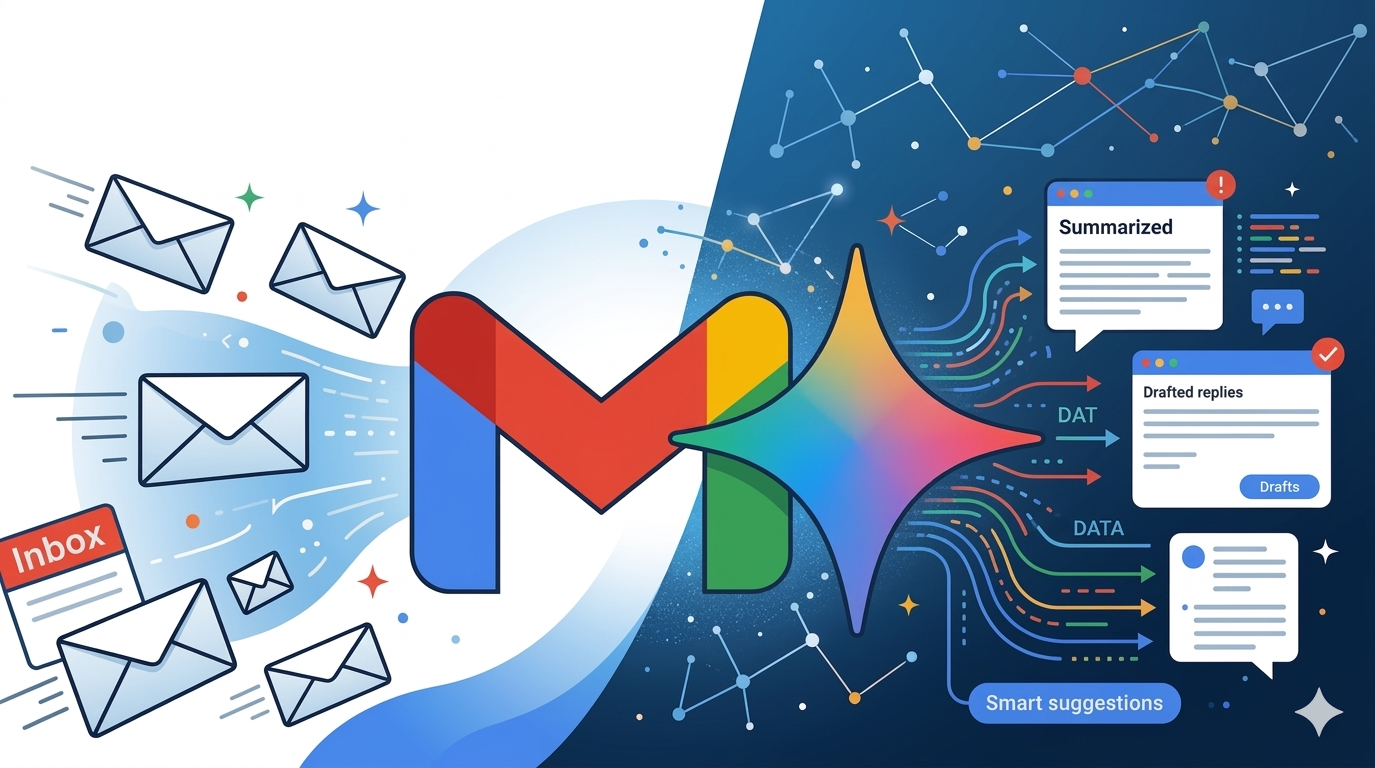
Google rolled out a major upgrade to Gmail powered by Gemini 3, its most advanced AI model. The update introduced AI-generated email summaries, smart inbox prioritization, context-aware replies, and an entirely new way of reading and sorting messages.
For everyday Gmail users, it is a convenient upgrade. But for email marketers, it is a structural shift in how inbox visibility is earned.
Gmail now has over 3 billion users, and Gmail's share of all email opens is 25 to 32%. That means if you send marketing emails, most of your audience is now reading them inside an AI-mediated inbox. Understanding what that means for your campaigns, your deliverability, and your metrics is not optional anymore.
This post breaks down exactly what the Gmail Gemini update includes, how it is already affecting email marketing performance, and the practical steps brands can take to adapt.
What the Gmail Gemini Update 2026 Actually Includes
AI Overviews and Thread Summaries
When a subscriber opens an email thread with multiple replies, Gemini now generates a condensed summary of the conversation rather than displaying the full thread. While this is a time saver for transactional messages and personal emails, your audience might just read the three-sentence AI-generated synopsis instead of the body of your well-crafted promotional email.
The implication is straightforward. If your most important message, your offer, your deadline, or your value proposition is buried deep in the email body, Gemini's summary may not surface it. What the AI cannot condense, it will skip.
AI Inbox Prioritization
This is the change with the most significant long-term impact for email marketers in 2026. Gmail's AI Inbox is a new view that reshapes the inbox around relevance rather than chronology. Instead of a traditional list of messages in the order they arrived, the AI Inbox presents a curated briefing: conversations it considers important, tasks flagged from emails, and updates it thinks matter most to that specific user.
Google has already updated the Promotions tab to sort by relevance rather than by recency, though users can still manually switch to chronological order. The expectation is that this toggle will eventually disappear, with relevance becoming the default and only sorting logic.
To put it simply, delivery no longer guarantees visibility. An email can land in the inbox and still go unseen if Gmail's AI determines it is low-priority for that recipient.
Help Me Write and Suggested Replies
Gmail now offers AI-assisted drafting through "Help Me Write," which lets users compose or refine messages using generative AI. Suggested Replies have also been upgraded to reflect individual tone and conversation history more accurately, making one-click responses feel genuinely personal rather than robotic.
These features matter for marketers primarily because they accelerate the speed of subscriber interaction. Replies and click-through behavior are becoming stronger relevance signals, and tools that make replying easier could meaningfully increase two-way engagement.
AI-Powered Inbox Navigation
Subscribers with Google AI Pro or Ultra subscriptions can now ask their inbox natural language questions: "What hotel did I book in March?" or "Did my order ship?" Gmail uses Gemini to surface a synthesized answer drawn from past emails. A separate AI Inbox tab is currently in testing with a limited group of users and is expected to expand more broadly throughout 2026.
How the Gemini Update Is Already Affecting Email Performance
Click-through rates are declining: Average click-through rates dropped from approximately 4.35% to 3.93% following Gmail's AI summary rollout. The likely cause: subscribers extract the key information from the AI-generated snippet without opening the email at all.
Open rates may be misleading: Because Gmail auto-opens emails to generate summaries, some platforms are recording opens that do not reflect a human actively reading the message. Open rate benchmarks that made sense six months ago may need to be recalibrated.
The relevance gap is widening: Brands with strong engagement practices, clean lists, and behavior-based segmentation are holding their inbox position. Those relying on high-volume, batch-and-blast strategies are seeing more visible performance erosion. Gmail's AI now creates a gradient of visibility within the inbox, not a binary inbox-versus-spam outcome.
Promotional tab position is becoming dynamic: With the Promotions tab now sorting by relevance in the Gmail app, an email's position within that tab is no longer determined by when it arrived. A highly engaging brand can appear near the top even if its email was sent hours earlier than a less-engaged competitor's message.
What Gmail Gemini Is Looking For in Emails
Google has not published an exact ranking formula, but various analyses point to a consistent set of signals that Gemini uses to evaluate and position emails.
Engagement depth over volume: Open rates are weak signals. Click activity, reply behavior, sustained interaction over time, and the speed with which a subscriber engages after receiving an email are all stronger indicators of relevance in Gemini's model.
Sender reputation and authentication: Technical compliance with SPF, DKIM, and DMARC remains non-negotiable. As Gemini evaluates sender trustworthiness at scale, senders with marginal authentication or inconsistent sending patterns will face reduced visibility. This has not changed. What has changed is how aggressively it is enforced.
Content quality as a deliverability signal: Gemini reads what your email actually says, not just whether it passes spam filters. Repetitive discount-heavy language, vague subject lines, and generic copy are now disadvantages not because they trigger a spam rule, but because they signal low relevance to Gemini's language model. Gmail has moved from rule-based filtering to meaning-based inbox ranking. The question has shifted from "Will my email pass spam filters?" to "Does my email deserve attention?"
The first 100 to 200 characters carry more weight than before: Gemini uses the opening of your email to determine how to summarize it. If your lead content is a greeting, a logo banner, or a generic introduction, that is what shapes the summary. Your actual offer may never surface.
Engagement history with similar senders: Perhaps the most significant long-term shift is that Gemini's behavioral modeling may allow engagement with one sender to influence how similar senders are ranked. A subscriber who consistently opens and clicks emails from outdoor lifestyle brands may find other outdoor lifestyle brands surfaced more prominently, regardless of relationship history. Inbox position is becoming predictive, not just reactive.
What Email Marketers Need to Do Differently
The good news is that the Gmail Gemini update is not killing email marketing. It is exposing weak habits. The fundamentals of good email marketing have not changed. Gemini has made them more decisive.
Here are the concrete adjustments that matter most right now.
1. Lead With Your Value Proposition in the First Sentence
Gemini's summary reads your email from the top. Whatever you put in the first sentence is what shapes the AI's interpretation of your message. Stop wasting that real estate on "Hi [First Name]," banner images, or brand pleasantries.
A strong opening looks like this: "Your 30% off welcome offer expires in 48 hours—here's what to shop."
That sentence does three things: states the offer, creates urgency, and tells the reader exactly what to do next. Gemini can summarize it accurately. A human can act on it immediately.
2. Write Subject Lines That Are Specific and Informative
MarTech's analysis suggests that if Gmail's AI summaries expand to replace preheader text the way Apple Mail already does, your subject line becomes the only piece of real estate you fully control. Vague, clickbait subject lines that rely on curiosity to earn the open will perform worse in an AI-mediated inbox.
Prefer:
"Your cart: 20% off expires tonight."
"New arrivals: spring collection now live."
"Order shipped — arrives Thursday."
Over:
"You won't want to miss this..."
"We have something special for you."
"Don't open this if you love a good deal."
The more specific the subject line, the better Gemini can classify and surface your email to the right recipient at the right time.
3. Segment Based on Behavior, Not Just Demographics
List size does not protect you in a relevance-ranked inbox. Sending a broad promotional email to 80,000 subscribers generates weak engagement signals across a large audience. Sending a targeted email to 4,000 subscribers who browsed a specific product category last week generates strong engagement signals from a primed audience.
Behavioral segmentation sends Gemini a clear signal that your emails are relevant to the people receiving them. That signal compounds over time, gradually improving your inbox position with each send.
Segments worth building right now:
Subscribers who clicked in the last 30 days
Subscribers who purchased in the last 90 days but have not engaged with email recently
Subscribers who browsed a specific category but have not converted
Lapsed subscribers (90 days or more of no engagement) who need a re-engagement flow before they damage your sender reputation further
4. Invest in BIMI and Gmail Annotations
MarTech flagged two visual elements that are gaining importance in a Gemini-ranked inbox: BIMI (Brand Indicators for Message Identification) and Gmail Annotations.
BIMI attaches your verified brand logo to emails in the inbox header. In a relevance-sorted Promotions tab, where subscribers are scanning rather than reading, a recognizable logo creates visual trust before a single word is read.
Gmail annotations allow marketers to surface offers, countdowns, and deal highlights directly in the Promotions tab preview before the email is even opened. Access to annotations is earned through consistent engagement and sender reputation. They are not available to all senders, which is exactly why investing in the underlying engagement quality that qualifies you for them pays compound returns.
5. Clean Your List Before Gemini Does It for You
Gmail's AI is increasingly efficient at identifying low-engagement subscribers and deprioritizing content they are unlikely to engage with. Sending to a large, stale list does not improve your reach. It actively harms your sender reputation with every unengaged send.
Practical list hygiene steps to take immediately:
Remove subscribers who have not opened an email in 180 days after running a re-engagement campaign
Set up double opt-in for new subscribers to ensure list quality from the start
Suppress subscribers who have soft-bounced more than three times
Monitor your spam complaint rate; anything above 0.1% will accelerate your algorithmic disadvantage in Gmail
6. Track the Right Metrics Going Forward
Open rates are becoming an unreliable signal. As Gmail auto-opens emails to generate summaries, inflated open data will distort your understanding of actual engagement.
Shift your primary performance metrics toward:
Click-to-open rate (CTOR): Of the people who opened, how many clicked? This filters out machine-triggered opens
Reply rate: A reply is the strongest possible engagement signal in Gmail's model
Revenue per email sent: The clearest measure of whether your email program is working
Unsubscribe rate per campaign: A rising rate signals that your content is not meeting subscriber expectations
What to Watch Over the Next 6 to 12 Months
Gmail's Gemini 2026 rollout is still in progress. A few developments worth tracking closely:
The AI Inbox tab: Currently limited to trusted testers in the US. If it rolls out broadly, it will represent the most significant inbox structural change since Gmail introduced tabs in 2013
Summaries in Promotions: If Gmail extends AI summaries to promotional emails the way Apple Mail has, preheader text as a strategic tool will effectively disappear
Relevance-only sorting: The option to switch the Promotions tab to chronological order currently still exists. The question is how long Google keeps it
The direction is clear regardless of the timeline. Gmail is moving toward an inbox where relevance, earned through genuine engagement, consistent sending quality, and behavioral alignment with subscriber interests, determines who gets seen.
Build Email Programs That Earn Attention with ZEPIC
Gmail's Gemini update makes one thing clear: email programs built on volume, generic content, and untargeted sends are going to face increasing headwinds. Campaigns built on behavioral segmentation, relevant personalization, and genuine subscriber engagement are going to benefit from algorithmic reinforcement.
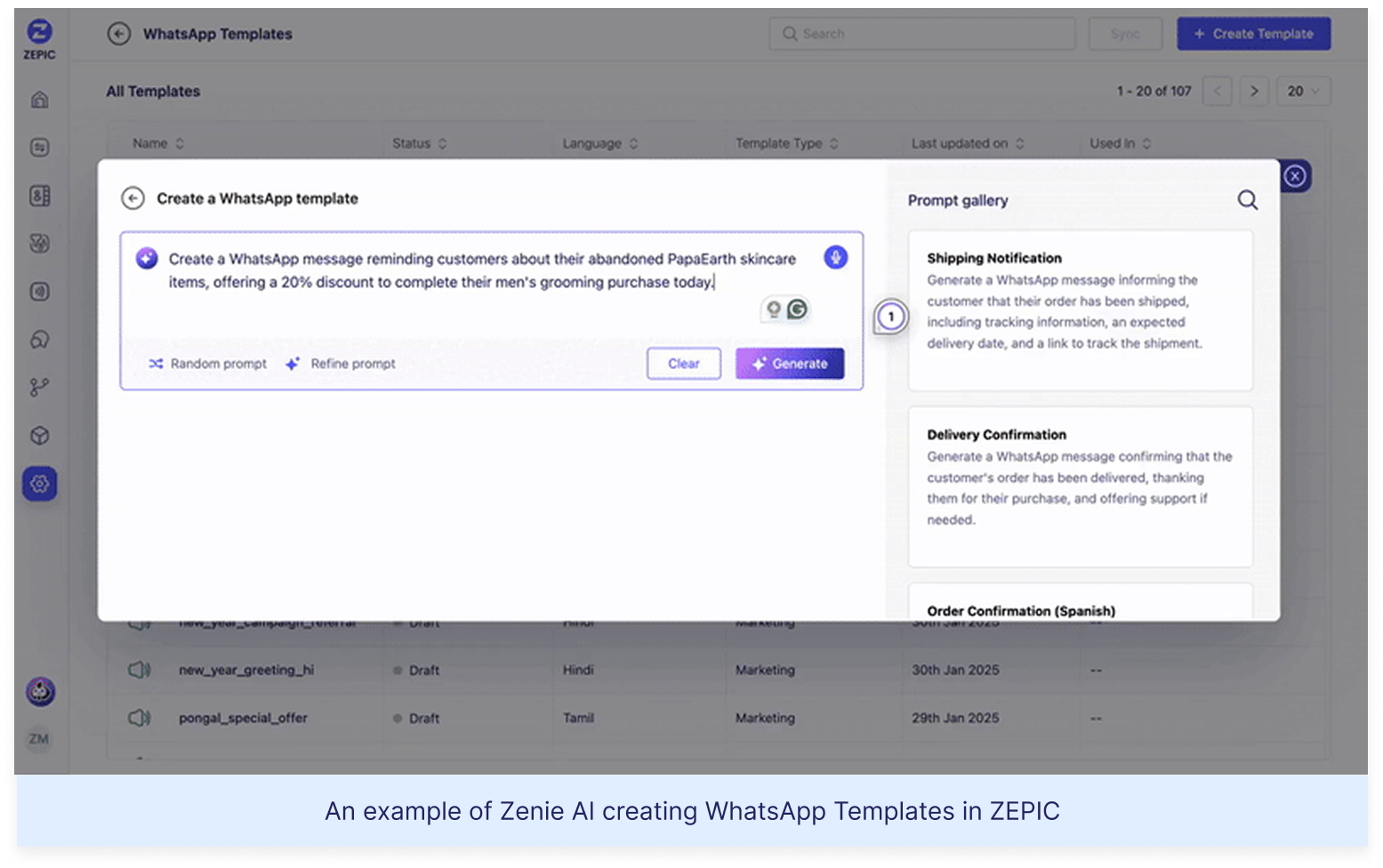
ZEPIC is built for exactly that kind of email campaign. With a built-in CDP that unifies customer behavior data, AI-powered segmentation, and automated lifecycle flows triggered by real subscriber actions, ZEPIC helps brands send emails that Gemini's AI will recognize as relevant because their subscribers already do.
Ready to build context-rich campaigns that perform in the Gemini era? Book a demo today
Frequently Asked Questions
What is the Gmail Gemini update for 2026?
Google’s Gmail Gemini update integrates the Gemini 3 AI model directly into Gmail. It introduces AI-generated summaries, an AI-prioritized inbox, context-aware smart replies, and natural language search. The inbox is no longer just a list of messages—it acts as an intelligent filter that decides what users see first based on relevance.
How does Gmail Gemini affect email marketing?
The biggest shift is inbox prioritization. Emails are now ranked based on user relevance instead of arrival time. Brands with strong engagement, proper authentication, and highly relevant content are more likely to stay visible. Volume-based strategies with generic messaging will lose reach even if they technically avoid spam filters.
Will Gmail Gemini hurt email open rates?
Open rates are becoming less reliable. AI summaries reduce the need for users to fully open emails, while Gmail may auto-open messages to generate summaries, inflating reported opens. As a result, marketers should prioritize metrics like click-to-open rate, reply rate, and revenue per email for a more accurate view of performance.
How do I optimize my emails for Gmail’s AI?
Start by leading with your core value proposition in the first sentence, since Gemini uses opening lines for summaries. Use clear and specific subject lines instead of vague curiosity-driven copy. Segment your audience based on engagement to strengthen relevance signals, maintain a clean list, and consider implementing BIMI for stronger brand visibility in the inbox.
Does Gmail AI summarize marketing emails?
Currently, Gmail primarily generates AI summaries for email threads with multiple replies. Single promotional emails are not yet summarized in the same way. However, this capability is expected to expand. Writing emails that summarize clearly—using concise, structured content—helps improve both AI readability and overall inbox relevance.
Desperate times call for desperate Google/Chat GPT searches, right? "Best Shopify apps for sales." "How to increase online sales fast." "AI tools for ecommerce growth."
Been there. Done that. Installed way too many apps. But here's what nobody tells you while you're doom-scrolling through Shopify app reviews at 2 AM—that magical online sales-boosting app you're searching for? It doesn't exist. Because if it did, Jeff Bezos would've bought (or built!) it yesterday, and we (fellow eCommerce store owners) would all be retired in Bali by now. Growing a Shopify store and increasing online sales isn’t easy—we get it. While everyone’s out chasing the next “revolutionary” tool/trend (looking at you, DeepSeek), the real revenue drivers are probably hiding in plain sight—right there inside your customer data. After working with Shopify stores like yours (shoutout to Cybele, who recovered almost 25% of their abandoned carts with WhatsApp automation), we’ve cracked the code on what actually moves the needle. Ready to stop app-hopping and start actually growing your sales by using what you already have? Here are four fixes that will get you there!
The Painful Truth: You're probably losing about 70% of your potential sales to cart abandonment. That's not just a statistic—it's real money walking out of your digital door. And looking for yet another Shopify app for abandoned cart recovery isn't going to fix it if you're not getting the fundamentals right.
The Quick Fix: Everyone knows you need multi-channel recovery that hits the sweet spot between "Hey, did you forget something?" and "PLEASE COME BACK!" But here's the reality—most recovery apps are a one-trick pony. They either do email OR WhatsApp, not both. And don't even get us started on personalizing offers based on cart value—that usually means toggling between three different dashboards while praying your apps talk to each other.
Enter ZEPIC: This is where we come in. With ZEPIC's automated Flows, you can: Launch WhatsApp recovery messages (with 95% open rates!) Set up perfectly timed email sequences (or vice versa) Create personalized recovery offers not just on cart value but based on your customer’s behavior/preferences Track and optimize everything from one dashboard
Fix #2: Reactivate past customers today
The Painful Truth: You're probably losing about 70% of your potential sales to cart abandonment. That's not just a statistic—it's real money walking out of your digital door. And looking for yet another Shopify app for abandoned cart recovery isn't going to fix it if you're not getting the fundamentals right.
The Quick Fix: Everyone knows you need multi-channel recovery that hits the sweet spot between "Hey, did you forget something?" and "PLEASE COME BACK!" But here's the reality—most recovery apps are a one-trick pony. They either do email OR WhatsApp, not both. And don't even get us started on personalizing offers based on cart value—that usually means toggling between three different dashboards while praying your apps talk to each other.
Enter ZEPIC: This is where we come in. With ZEPIC's automated Flows, you can: Launch WhatsApp recovery messages (with 95% open rates!) Set up perfectly timed email sequences (or vice versa) Create personalized recovery offers not just on cart value but based on your customer’s behavior/preferences Track and optimize everything from one dashboard
Offering light at the end of the tunnel is Google’s Privacy Sandbox which seeks to ‘create a thriving web ecosystem that is respectful of users and private by default’. Like the name suggests, your Chrome browser will take the role of a ‘privacy sandbox’ that holds all your data (visits, interests, actions etc) disclosing these to other websites and platforms only with your explicit permission. If not yet, we recommend testing your websites, audience relevance and advertising attribution with Chrome’s trial of the Privacy Sandbox.
Top 3 impacts of the third-party cookie phase-out
Who’s impacted
How
What next
Digital advertising and acquisition teams
Lack of cookie data results in drastic fall in website traffic and conversion rate
Review all cookie-based audience acquisition. Sign up for Chrome’s trial of the Privacy Sandbox
Digital Customer Experience
Customers are not served relevant, personalised experiences: on the web, over social channels and communication media
Multiply efforts to collect first-party customer data. Implement a Customer Data Platform
Security, Privacy and Compliance teams
Increased scrutiny from regulators and questions from customers about data storage and usage
Review current cookie and communication consent management, ensure to align with latest privacy regulations




%201.png)