
|


Launch campaigns that sell out in no time

|

Countdown to
Launch campaigns that sell out in no time


Build automated WhatsApp journeys that respond to purchases, engagement, intent, and custom events—powered by ZEPIC’s real-time segmentation and unified customer data.
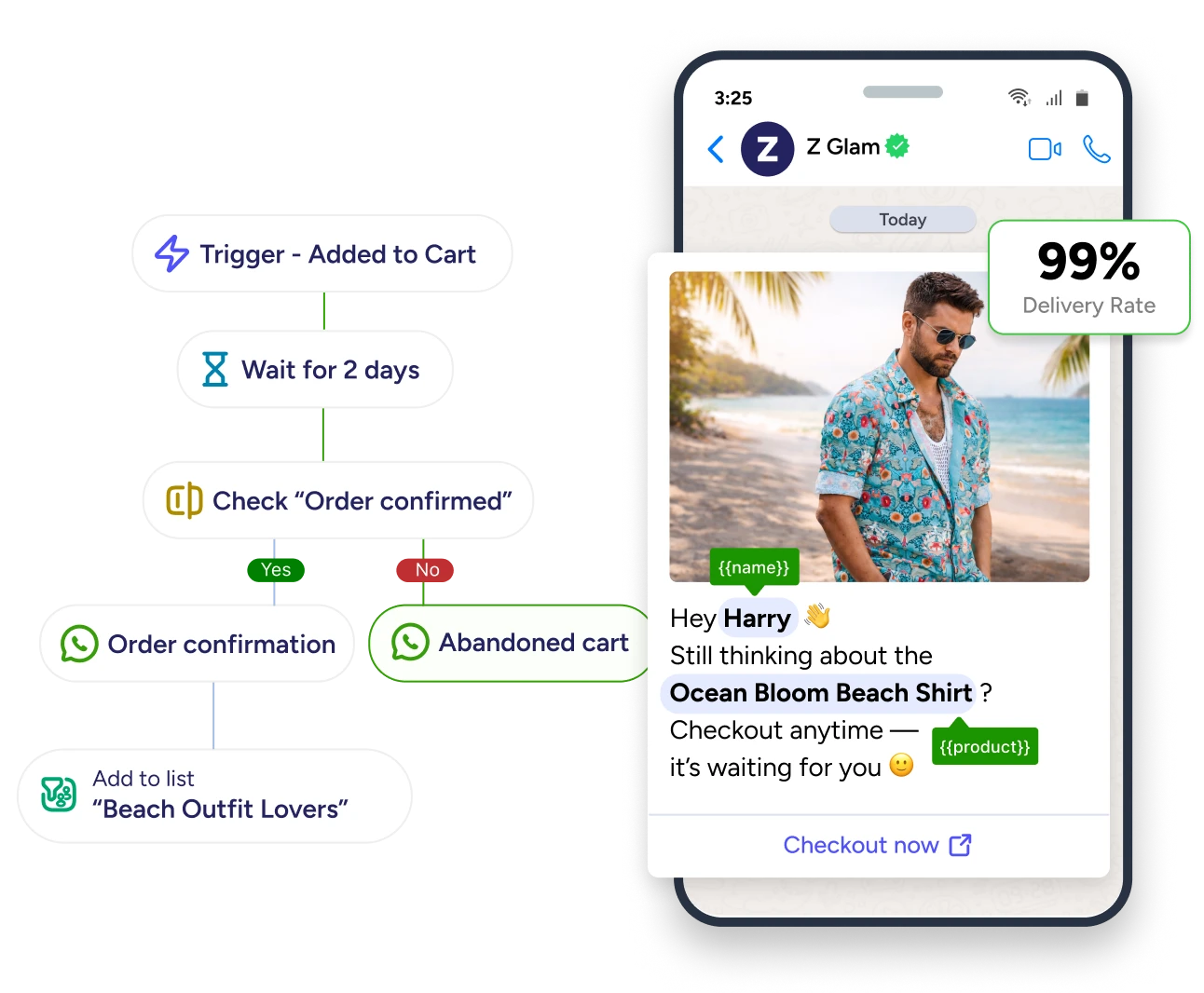







ZEPIC’s WhatsApp automation isn’t rule-based blasts. It’s behavior-driven journeys powered by your customer data. Build triggered customer journeys, segment audiences dynamically, and personalize every message based on real customer behavior—all without writing a single line of code.
Build multi-step WhatsApp flows that trigger automatically based on customer actions. Create abandoned cart recovery, welcome series, post-purchase follow-ups, and re-engagement campaigns that run 24/7.
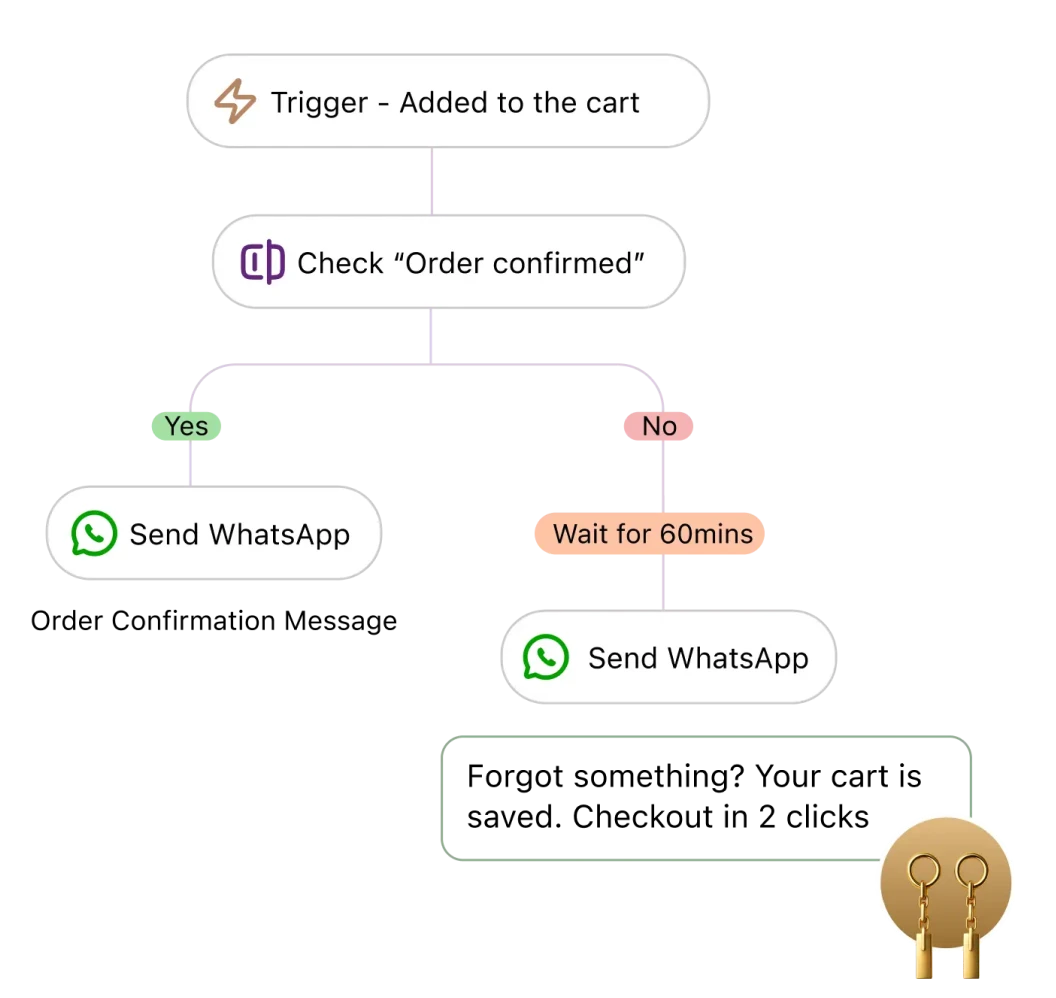
Trigger WhatsApp messages based on any customer action like product views, cart abandonment, form submissions, or custom events you define. Automate responses to what customers actually do.
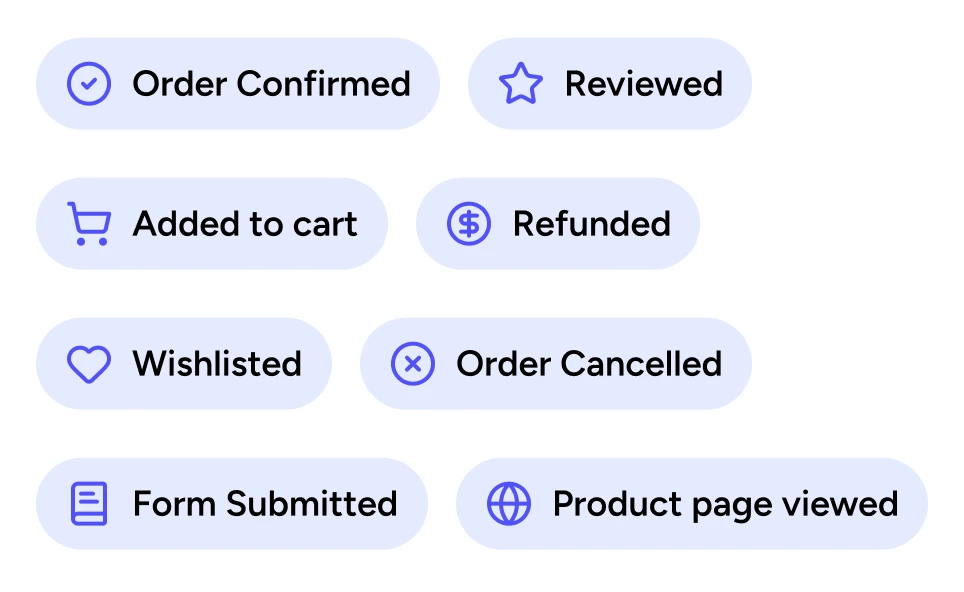
Target the right customers with dynamic segments that update in real-time. Segment by purchase behavior, engagement, customer attributes, or any data from your tech stack—using unlimited conditions.
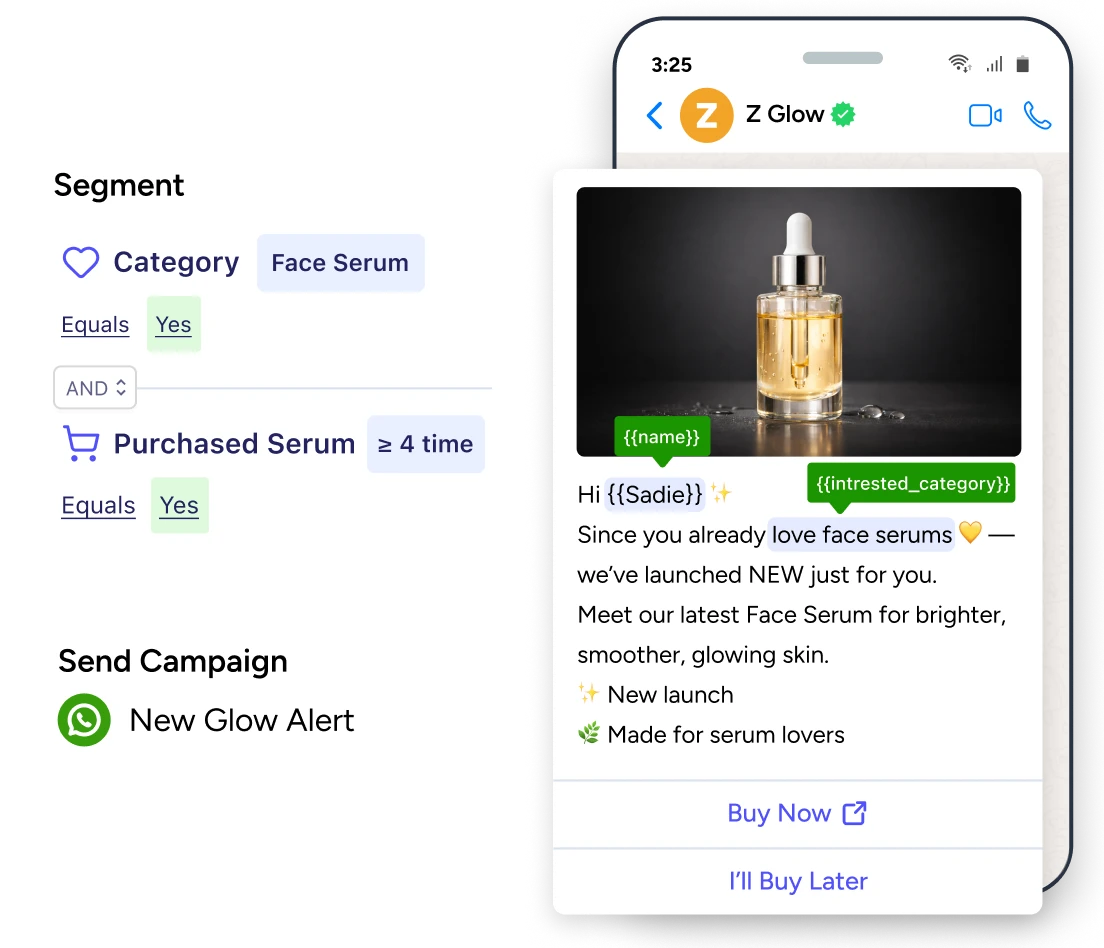
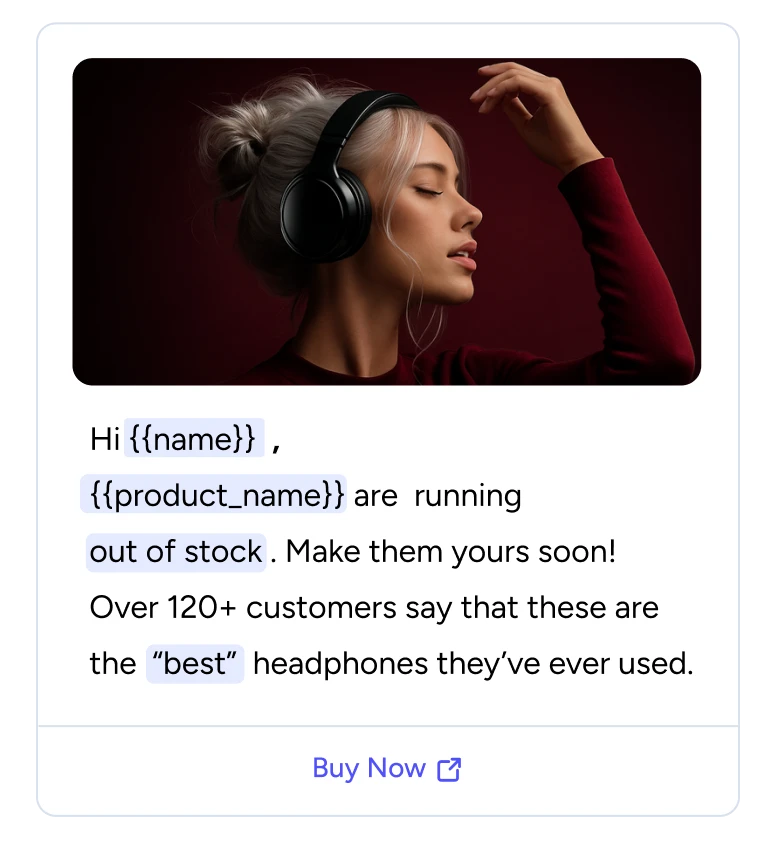
Send messages that feel one-to-one, even at scale. Use dynamic merge tags, product recommendations, and real customer data from your entire tech stack to personalize every WhatsApp message.
Build multi-step WhatsApp flows that trigger automatically based on customer actions. Create abandoned cart recovery, welcome series, post-purchase follow-ups, and re-engagement campaigns that run 24/7.
Target the right customers with dynamic segments that update in real-time. Segment by purchase behavior, engagement, customer attributes, or any data from your tech stack—using unlimited conditions.
Send messages that feel one-to-one, even at scale. Use dynamic merge tags, product recommendations, and real customer data from your entire tech stack to personalize every WhatsApp message.
Trigger WhatsApp messages based on any customer action like product views, cart abandonment, form submissions, or custom events you define. Automate responses to what customers actually do.
.svg)
Build complex WhatsApp automation without technical help. Drag and drop triggers, messages, delays, and conditions to create customer journeys in minutes—no developers, no coding, no waiting.
.svg)
Create abandoned cart recovery, welcome series, post-purchase follow-ups, browse abandonment, and win-back campaigns. Build confirmations, shipping updates, and any custom journey your business needs.
.svg)
Create unique paths for every customer using if/then conditional logic. Send different messages based on behavior, purchase history, or engagement, with flexible delays that control exactly when messages go out.
.svg)
Orchestrate Email, WhatsApp, and Instagram in a single flow instead of managing channels separately. Start on one channel, follow up on another, and let customers move across channels naturally.
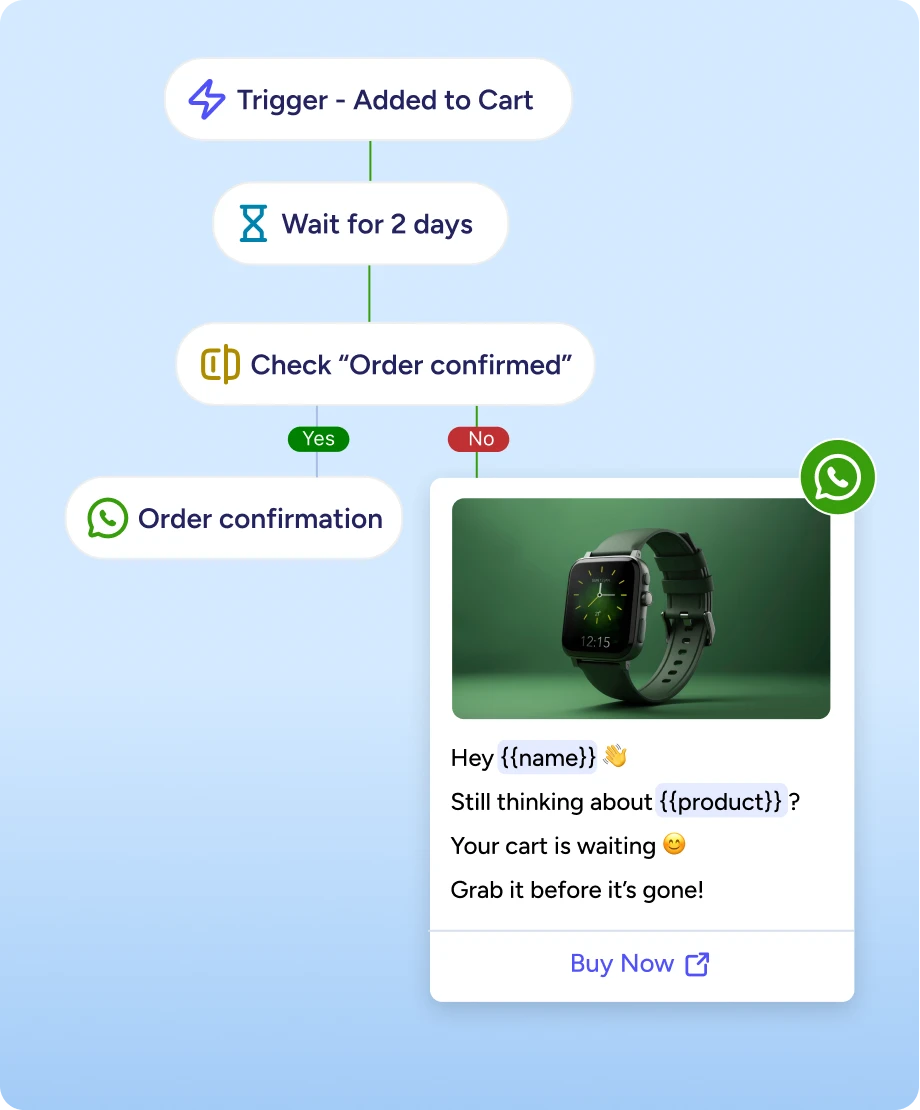
USE CASE 1
Shoppers abandon carts constantly, and manual follow-ups don’t scale. With WhatsApp automation, messages trigger the moment a cart is abandoned, sending personalized reminders, product details, and timely offers without any manual intervention.
Recover lost revenue automatically, without chasing customers.
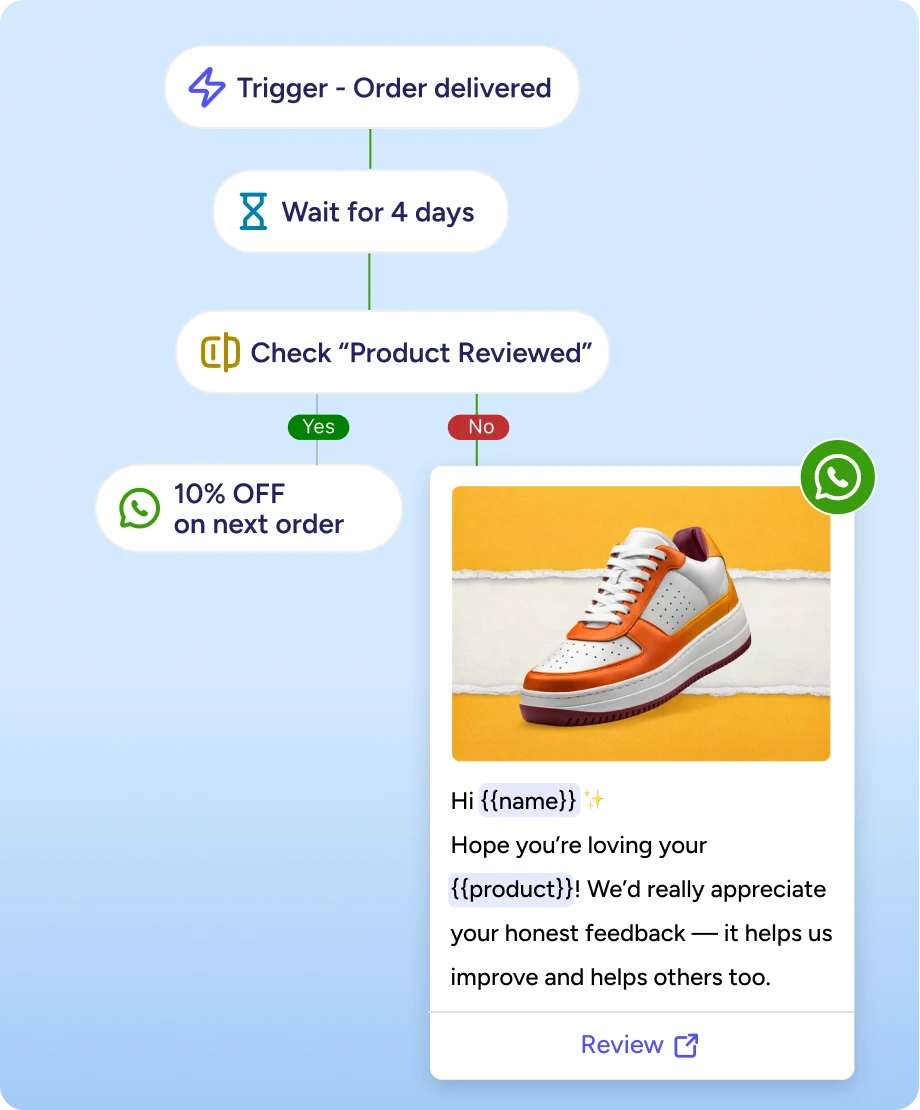
USE CASE 2
Most customers stop after one purchase because follow-ups are inconsistent. Automated WhatsApp journeys send product recommendations, loyalty prompts, and replenishment reminders based on what customers actually bought.
Increase customer lifetime value without running one-off campaigns.
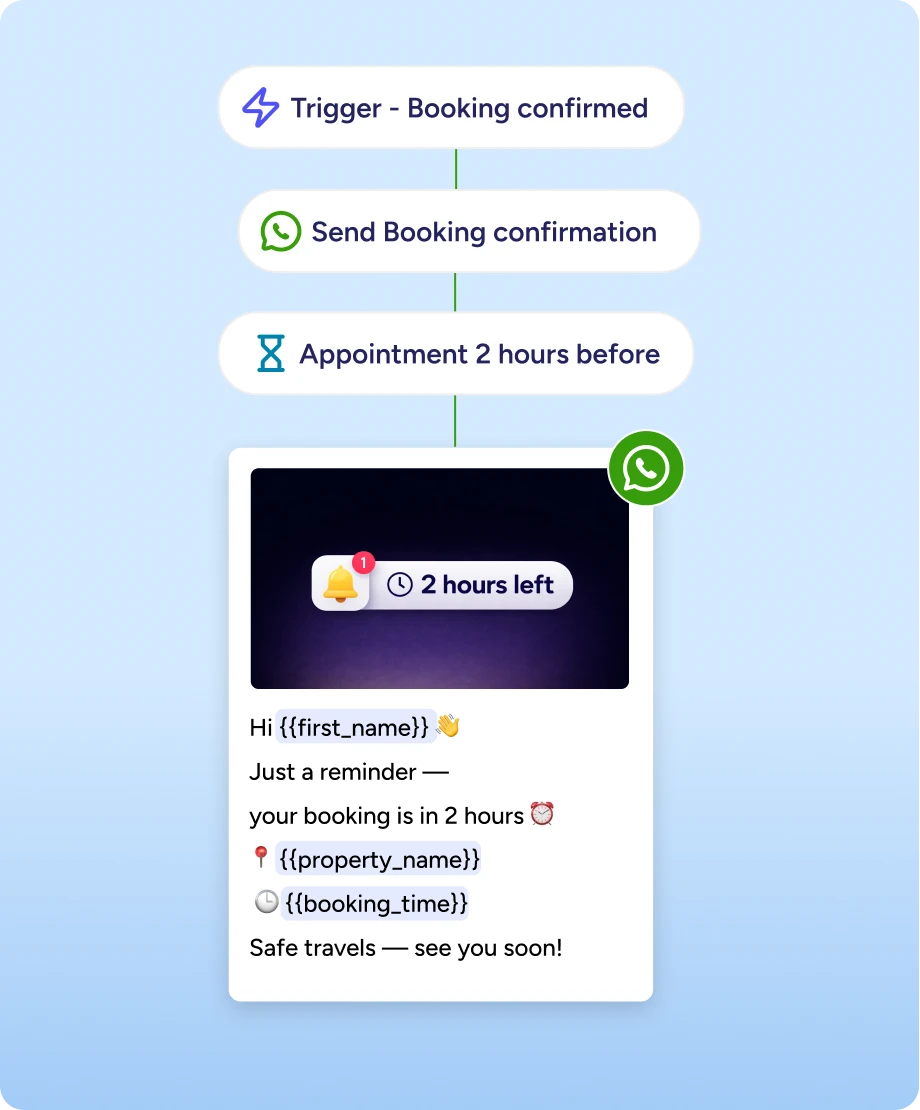
USE CASE 3
Guests need timely updates before arrival, but manual coordination is slow and error-prone. WhatsApp automation sends booking confirmations, pre-arrival instructions, upsell offers, and check-in reminders automatically—personalized to each booking.
Deliver a better guest experience while reducing operational workload.
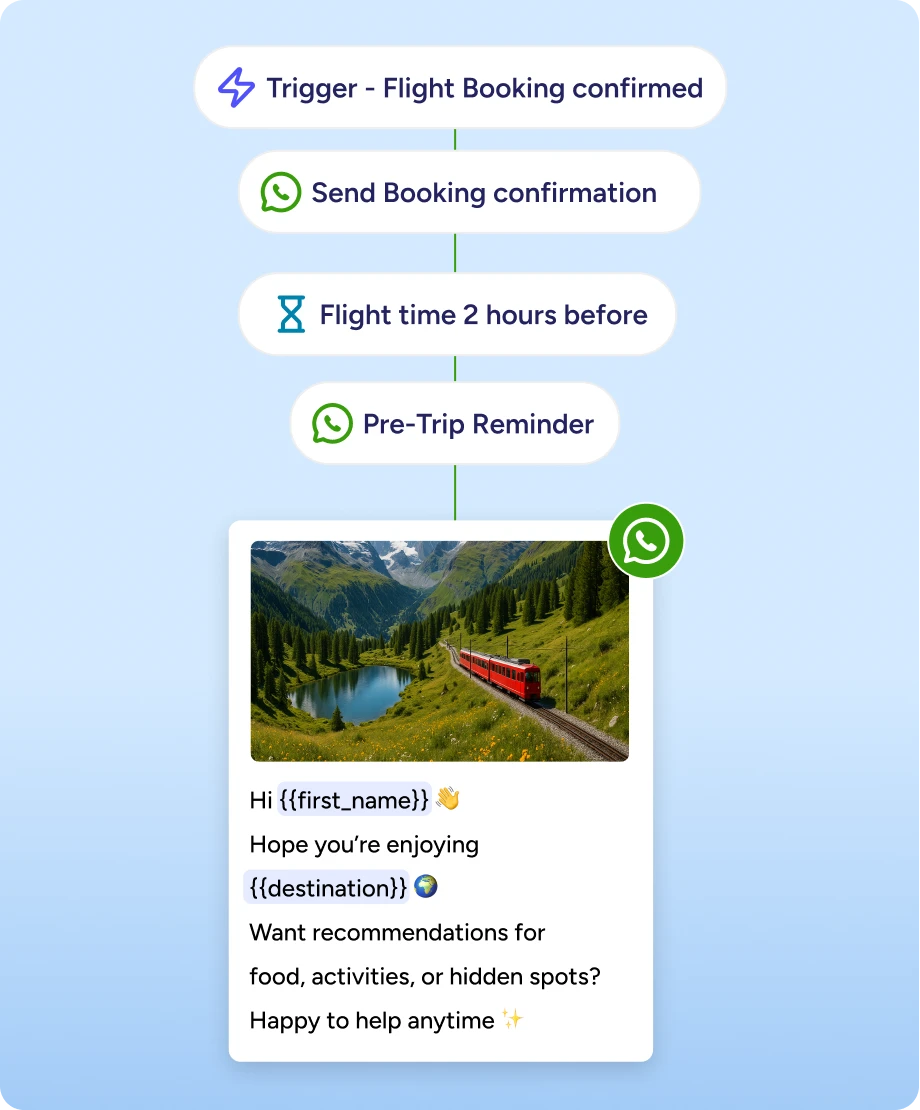
USE CASE 4
Travel communication is time-sensitive, and post-trip engagement often gets missed. Automated WhatsApp flows handle trip updates before departure and re-engage travelers after the trip with destination-specific offers.
Keep travelers informed automatically and drive repeat bookings.
Build automated flows, segment with precision, and personalize at scale. Start engaging customers on WhatsApp automatically.
Book a DemoYou can build any automated customer journey—abandoned cart recovery, welcome series, post-purchase follow-ups, win-back campaigns, browse abandonment, order confirmations, shipping updates, or custom flows based on your business needs.
No. ZEPIC's drag-and-drop flow builder is designed for marketers. Create multi-step automated journeys with triggers, delays, and conditional logic without writing any code.
Create segments based on purchase behavior, engagement, customer attributes, or custom events. Segments update dynamically in real-time as customer behavior changes, ensuring your automation always targets the right audience.
Yes. Define custom events for any customer action—product views, cart additions, form submissions, or behaviors from your tech stack. When customers trigger these events, ZEPIC automatically starts your configured WhatsApp flow.
Use dynamic merge tags to insert customer name, order details, product information, or any customer attribute. Pull data from your entire tech stack to personalize messages with information that's relevant to each customer.
Yes. Build omnichannel customer journeys that include both WhatsApp and Email messages in a single flow. Control which channel sends when, creating unified experiences across platforms.
Yes. ZEPIC's dynamic segments update in real-time. When a customer's behavior or attributes change, they're automatically added to or removed from relevant segments without manual intervention.
Yes. Add flexible time delays to control when each message sends—wait hours, days, or weeks between steps. Optimize timing to engage customers when they're most likely to convert.
Combine up to 25 conditions, using AND/OR logic, to create precise audience targeting. Build simple segments or complex multi-condition filters based on your requirements.
While pre-built templates aren't currently available, our team provides guided onboarding and will help you set up your first automated campaign end-to-end—for free.
Yes. ZEPIC tracks revenue attribution at the campaign level, so you can see which automated WhatsApp campaigns generate actual sales, not just engagement metrics.
With ZEPIC's drag-and-drop builder, you can create and launch automated flows in minutes. Our team also provides guided onboarding to ensure your first campaign succeeds.

%201.png)


